Someday last year I had the idea of devolping an app, which gives people investment suggestions for the stock market. With resent developments in the trading app area it just makes sense to give all these new people, who just entered the trading world, a simple app to help them make good decisions. For this I decided to use flutter, an SDK which is able to compile an Android App, an iOS app, a Windows App, a Linux App and a Web App all from a single codebase.
In the context of this post I want to get into the CI/CD part of this project, because to get into the flutter code would be too much I think.
Web App
I hostet the web app on firebase: https://stockadvisorweb.web.app You can just click on login. No credetials needed.
It gets compiled and deployed with github actions. Firebase provides a github action for hosting on firebase: https://github.com/FirebaseExtended/action-hosting-deploy
Lets checkout the script:
name: Deploy to Firebase Hosting on PR
on:
  # Trigger the workflow on push or pull request,
  # but only for the main branch
  push:
    branches:
      - main
  pull_request:
    branches:
      - main
jobs:
  build_and_preview:
    runs-on: ubuntu-latest
    steps:
      - uses: actions/checkout@v2
      - run: >-
          git clone https://github.com/flutter/flutter.git && ./flutter/bin/flutter doctor --verbose && ./flutter/bin/flutter build web
      - uses: FirebaseExtended/action-hosting-deploy@v0
        with:
          repoToken: '${ { secrets.GITHUB_TOKEN \}}'
          firebaseServiceAccount: '${ { secrets.FIREBASE_SERVICE_ACCOUNT_STOCKADVISORWEB }}'
          projectId: stockadvisorweb
          channelId: live
        env:
          FIREBASE_CLI_PREVIEWS: hostingchannels
The first issue I want to get into here is security: The github token and the firebase service account key must not under any circumstances be comitted to any git repository. Any CI/CD host has an option to save secrets. In github actions they can be found under Settings/Secrets.
The second step runs the flutter build. It checks out the flutter repository, runs a doctor script to make shure everything is fine and does the web build. Then the web app gets deployed to firebase.
Android App
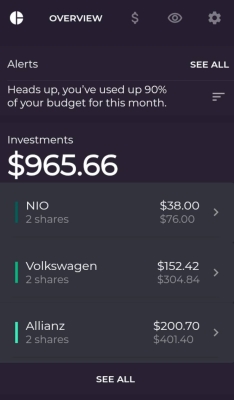
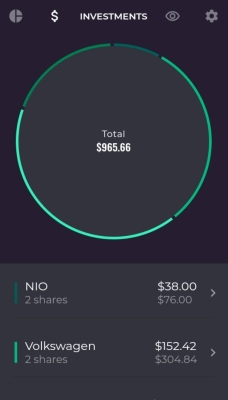
I also setup an Android App for internal testing. A push to github triggers a Travis build. In Travis the flutter android app gets buid, tested and deployed to the google playstore. Lets checkout the Travis yaml step by step:
os:
  - linux
language: android
dist: trusty
jdk:
  - oraclejdk8
android:
  components:
    # Uncomment the lines below if you want to
    # use the latest revision of Android SDK Tools
    - tools
    - platform-tools

    # The BuildTools version used by your project
    - build-tools-29.0.3

    # The SDK version used to compile your project
    - android-29

    # The libraries we can't get from Maven Central or similar
    - extra
In this first part we tell Travis what kind of a container we need. We want linux a linux setup for android development. So we want trusty linux, java jdk 8, Android SDK 29, android tools and build tools.
before_install:
  - touch $HOME/.android/repositories.cfg
  - yes | sdkmanager "build-tools;29.0.2"
  - echo "$PLAY_STORE_UPLOAD_KEY" | base64 --decode > /home/travis/key.jks
This was kind of hart to figure out. We need to accept the license agreement. Also a cloud build script needs to do this.
Also of course we need the upload key for the google playstore, which, again, is saved as a secret and not inside the script itself. In Travis secrets are a little bit like environment variables.
install:
  - ( cd android/ ; bundle install )
Here fastlane is installed. Fastlane is an open source platform aimed at simplifying Android and iOS deployment. The android directory contains a Gemfile with just fastlane in it.
addons:
  apt:
    sources:
      - ubuntu-toolchain-r-test
    packages:
      - libglu1-mesa
The mesa package is needed for the flutter build.
before_script:
  - git clone https://github.com/flutter/flutter.git
  - ./flutter/bin/flutter doctor --verbose
script:
  - ./flutter/bin/flutter build appbundle --build-number=$TRAVIS_BUILD_NUMBER
  - ./flutter/bin/flutter test
  - ( cd android/ ; bundle exec fastlane internal )
cache:
  directories:
    - $HOME/.pub-cache
This is the part of the script where stuff happens. Flutter is installed and checkt with flutter doctor. Then the android appbundle gets build and tested. Then a fastlane script deploys the appbundle for internal testing. Here is the content of the Fastfile:
desc 'Deploy a new internal version to the Google Play Store'
lane :internal do
  upload_to_play_store(
    skip_upload_apk: true,
    skip_upload_aab: false,
    skip_upload_changelogs: true,
    skip_upload_metadata: true,
    skip_upload_images: true,
    skip_upload_screenshots: true,
    track: 'internal',
    aab: '../build/app/outputs/bundle/release/app-release.aab',
    json_key_data: $SUPPLY_JSON_KEY_DATA
    )
end
This pretty much just calls the provided upload_to_playstore funtion for the ‘internal’ track. Again the fastlane json key needs to be provided as a secret.